The problem
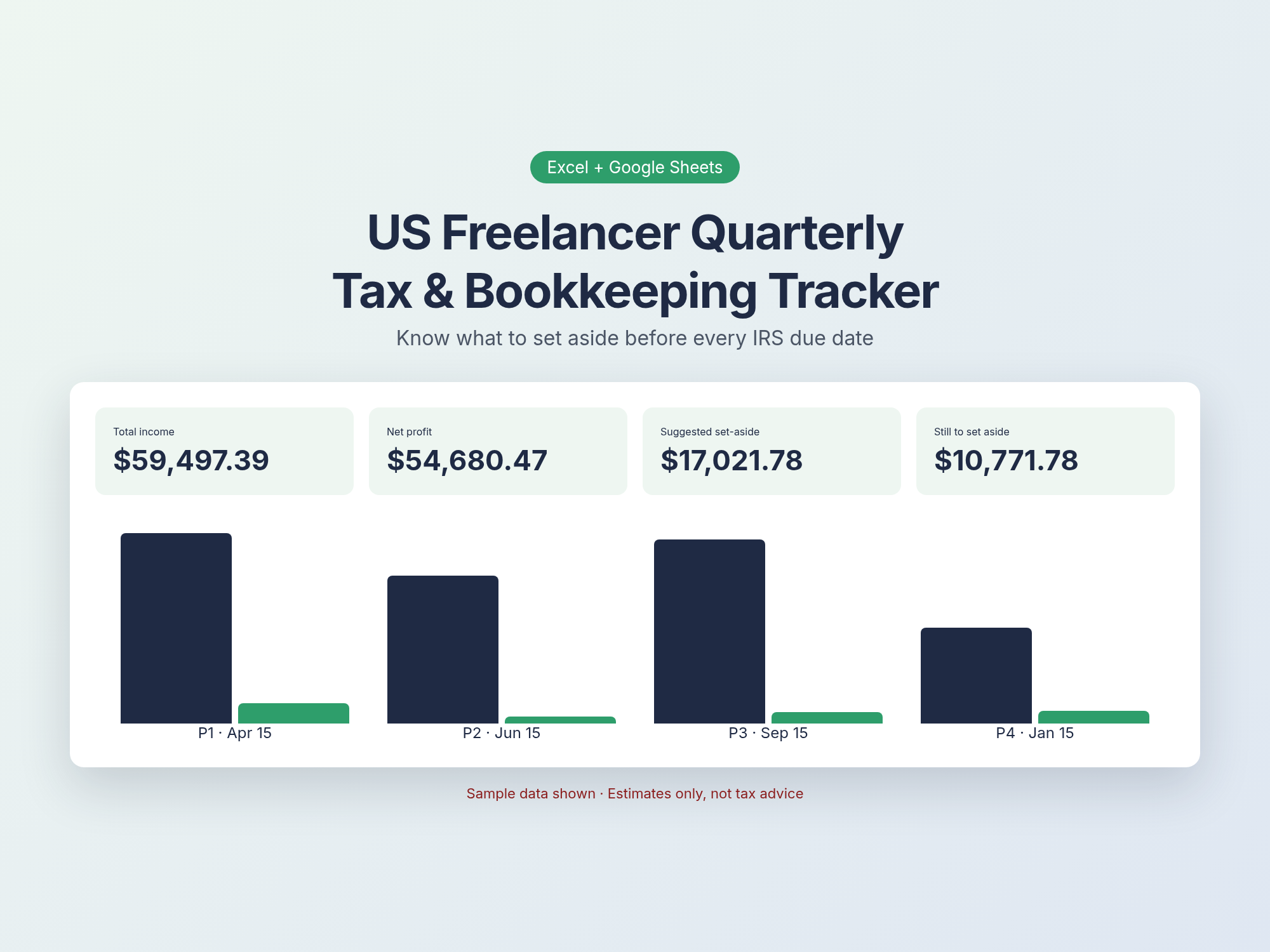
Freelancers don't have taxes withheld. The IRS expects estimated payments four times a year, and the periods aren't even equal quarters. Most people find out what they owe in April, when it's too late to save for it. This tracker keeps a running set-aside number for every payment period, so the money is already there when it's due.
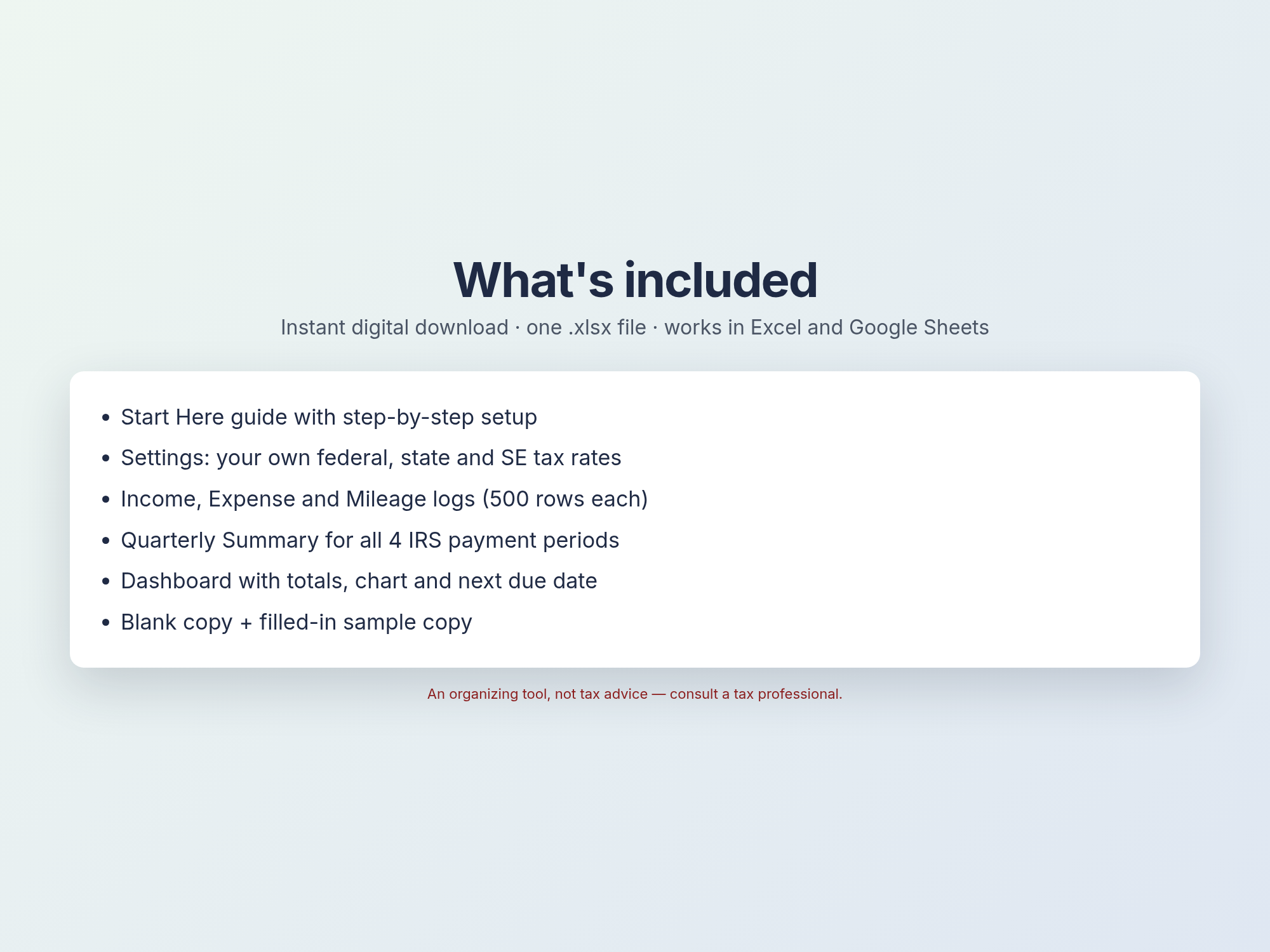
What's included
Start Here guide
About 10 minutes to set up, with step-by-step instructions.
Settings
Your own federal and state set-aside rates. SE tax rate defaults to 15.3% and can be changed. Due dates and categories can be edited.
Income log
Client, invoice and amount. Each entry is assigned to its IRS payment period automatically.
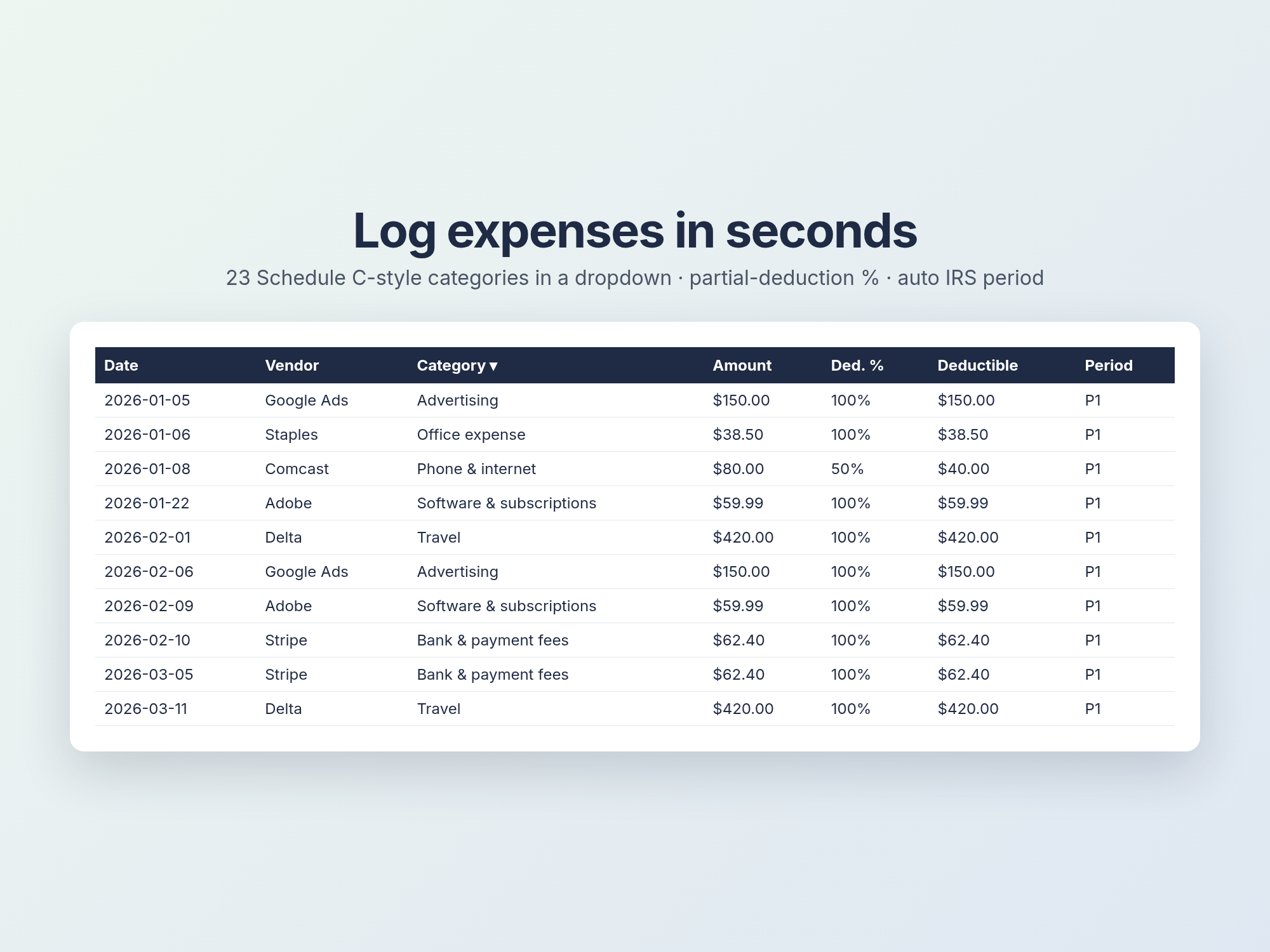
Expense log
23 Schedule C-style categories in a dropdown, with a deductible % for items that are partly business.
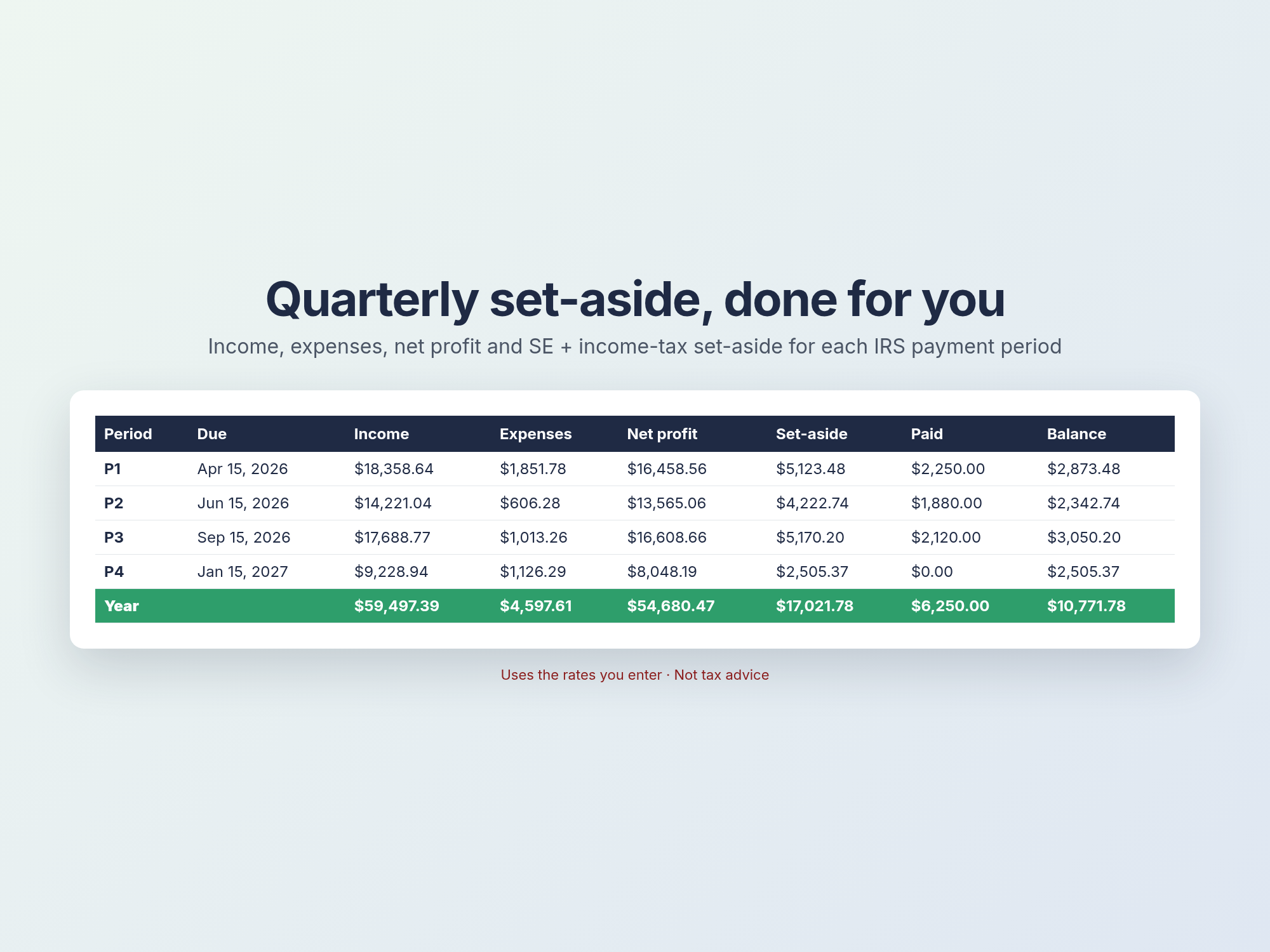
Quarterly Summary
Income, expenses, net profit, SE + income-tax set-aside, payments made and the remaining balance for each period.
Mileage + Dashboard
An optional mileage log, year totals, a chart and a countdown to the next due date.
2026 IRS estimated-tax due dates
Apr 15, 2026 · Jun 15, 2026 · Sep 15, 2026 · Jan 15, 2027. Source: irs.gov. Already built into the sheet.
FAQ
How do I get the file?
Right after payment you get a download link on the confirmation page and by email. Nothing physical is shipped.
Does it work in Google Sheets?
Yes. In Google Sheets choose File → Import → Upload. It also works in Excel 2019, Excel 365 and LibreOffice.
Will it calculate my exact tax?
No. It gives a set-aside estimate based on rates you enter. It doesn't cover deductions, credits, safe-harbor rules or your other income. It isn't tax advice, so check your numbers with a tax professional.
What is your refund policy?
If the file doesn't open or work for you, email wangli20001010@mail.grokbot.com within 7 days of purchase and you'll get a full refund. See the Terms.
Can I use it for more than one year?
Yes. Change the tax year in Settings and the due dates update. Check irs.gov each year in case the dates move.